The remote slipped again. You lean forward, hand groping between sofa cushions, eyes still glued to the football match or the Netflix intro spinning on a screen that looks… duller than you remember. Not broken. Just tired. Smudges catch the light. A sticky fingerprint from a child, a faint ring of dust where the soundbar sits, maybe a mysterious splash you swear you didn’t cause. You wipe it with your sleeve, the way everyone does when no one’s watching. The mark spreads. The reflection streaks. Now you can’t unsee it.
You squint, wondering when your “4K ultra something” turned into a greyish mirror.
There is a way back from this.
The invisible grime that ruins your “wow” effect
Most people only notice their TV screen is dirty when the sun hits it just right. Suddenly, the glorious blockbuster you bought the TV for is fighting against a milky veil of dust and fingerprints. Blacks look washed out, faces seem flatter, and your expensive screen feels oddly cheap.
We quietly adapt. Our eyes get used to the haze, the light reflections, the greasy spots that only show up on darker scenes. Yet the TV is the real campfire in many homes. It’s where we gather, binge, escape. Why stare at it through a fogged-up window?
A technician I met told me he could often guess how long a family had owned a TV just by looking at the pattern of fingerprints. A little cluster low down? Small kids. Perfect palm marks right in the middle? Adults who still try to adjust the image by touching it. One family called him, convinced their three-year-old had “ruined the TV forever” with yoghurt fingers. The truth was less dramatic.
Ten minutes later, the screen looked like a shop display model again. Their daughter was off the hook.
Screens attract dust and grease because they act like static magnets in the centre of your living room. Warm electronics pull in floating particles. Cooking vapours travel further than you think. Tiny skin oils from hands transfer every time someone points at something on screen. Over time, this cocktail builds up an ultra-thin film that bends light and dulls colours.
Cleaned properly, that same TV often has deeper blacks, sharper edges, and a brightness you thought had slowly died with age.
The quick reset: a 5-minute method that actually works
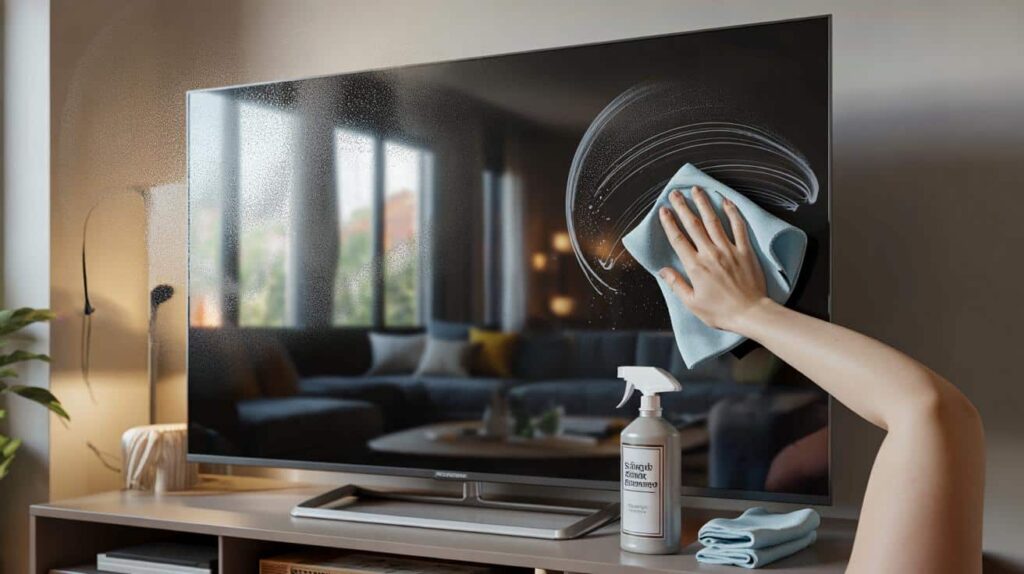
Start with the one step almost nobody does: turn the TV off and let it cool for a few minutes. The dark screen helps you see every mark, and a cool surface is less likely to streak. Then grab a clean, dry microfiber cloth, the soft kind you’d use for glasses. Not paper towels, not kitchen roll, not that old T‑shirt you use for everything.
Wipe gently in wide circles, no pressure, just letting the fibres pick up dust. You’ll be surprised how much disappears with this alone. For stubborn smudges, lightly dampen a corner of the cloth with distilled water or a proper screen cleaner, and go over the spot with small circles. Follow immediately with the dry part of the cloth.
This whole routine takes less time than scrolling Netflix for something to watch. Yet most of us only do it when things look really bad. You sit down on a Sunday, ready for a film night, the opening scene is dark and moody… and there they are. Ghostly fingerprints in the shadows.
You pause the movie. The room is already dim. Someone grabs whatever’s nearby – a hoodie sleeve, a kitchen sponge, even a baby wipe. Two swipes, new streaks. A muttered “that’s worse”. Then comes the frantic search on your phone: “how to clean TV screen without damaging it”. By then, the mood is gone.
There’s a reason brands insist on soft cloths and gentle liquids. Modern flat screens – LED, OLED, QLED – have delicate coatings that boost contrast and cut reflections. Aggressive rubbing or the wrong product slowly eats away at that invisible layer. Strong glass cleaner, alcohol sprays, or anything ammonia-based can leave permanent cloudy patches.
The quick method works because it respects that coating. You’re not scrubbing, you’re lifting. Tiny circular motions with a barely damp microfiber cloth, followed by a dry pass, allow the screen to release grease without grinding it deeper. It feels almost too simple. Yet it’s exactly what professionals do before they photograph TVs for glossy ads.
The mistakes that quietly damage your expensive screen
The best “like-new” result comes from a slightly boring combination: patience, softness, and the right cloth. Before you even touch the screen, wash and dry your hands. Remove rings or bracelets that could graze the surface as you lean in. Then dust the frame first, from top to bottom, so nothing falls onto your freshly cleaned panel after.
Only then go back to that microfiber cloth and slow, light movements. Think of it as barely petting the screen, not scrubbing a dirty pan.
A lot of screen damage doesn’t come from one big mistake but from tiny shortcuts repeated over months. The quick spritz of window cleaner straight on the TV “just this once”. The rough paper towel grabbed in a rush. The well-meaning relative who presses hard on a stuck spot as if they could erase it by force.
Let’s be honest: nobody really does this every single day. Most homes clean their TV in reactive bursts, when dust or smudges suddenly become impossible to ignore. That’s why a gentle, five-minute ritual once every couple of weeks already makes a huge difference and avoids the panic cleaning that leads to scratches.
We’ve all been there, that moment when the screen looks awful and you think, “If I wipe harder, it’ll finally come off.” A repair technician told me, “I can usually see the exact swipe where someone pressed too hard. One line, then a faint rainbow mark that never leaves.” *He said the best cleaning is the one that doesn’t leave a story behind.*
- Never spray directly on the screen. Spray onto the cloth, then apply. This keeps liquids from dripping into the frame.
- Use only microfiber or a dedicated screen cloth. Anything rough, fluffy, or papery can create tiny scratches you’ll notice on bright scenes.
- Avoid alcohol, ammonia, vinegar, and multi-purpose cleaners. They strip the delicate anti-reflective layer that makes blacks deep and colours rich.
- Clean in the shade, not in full sunlight. Harsh light makes you chase every speck and leads to over-wiping and streaks.
- Let the TV dry a minute before turning it back on. This prevents heat from “baking in” any leftover moisture at the edges.
When your TV feels new again (without buying a new one)
The odd thing about a freshly cleaned screen is that you don’t notice the cleanliness itself. You notice the picture. Colours pop the way they did on the showroom wall. Dark scenes suddenly have depth. Skin tones look less waxy, text looks sharper, reflections disturb you less. It’s like putting on the right prescription glasses after weeks of squinting.
That glow you blamed on “ageing technology” was often just layers of ordinary life quietly collecting on the glass.
| Key point | Detail | Value for the reader |
|---|---|---|
| Gentle method | Use a dry microfiber cloth first, then a slightly damp corner, then dry again | Restores clarity without risking damage |
| Avoid harsh products | No alcohol, ammonia, paper towels, or direct spraying on the screen | Protects the anti-reflective coating and extends TV lifespan |
| Short routine | Five minutes every couple of weeks on a turned-off, cool screen | Keeps image “like new” with minimal effort |
FAQ:
- Question 1Can I use regular glass cleaner on my TV screen?Better avoid it. Most glass cleaners contain alcohol or ammonia that can damage modern TV coatings and cause cloudy spots over time.
- Question 2What’s the safest thing to clean a TV with?A clean, dry microfiber cloth and, if needed, a tiny amount of distilled water or a dedicated screen cleaner sprayed onto the cloth.
- Question 3How often should I clean my TV screen?Every two to three weeks is enough for most homes, more often if you have kids, pets, or an open kitchen nearby.
- Question 4Is it bad to press on the screen while wiping?Yes. Pressing can damage pixels or leave permanent pressure marks, especially on OLED screens. Always wipe with a light touch.
- Question 5What if my screen already has micro-scratches?Sadly, those usually can’t be removed. You can prevent more by changing your cleaning habits and using only soft, non-abrasive materials.